

Free forever
ACM One
£0no card needed
- One channel
- Vertical shorts
- A starter set of caption styles
- The full write, make, post, learn loop
- An ACM watermark on every video
Automated Content Machine
ACM writes the hook, cuts the video, voices it, captions it, posts it to YouTube and learns from what performed. The heavy work runs on your own computer, with your own keys.

The machine, running
Script, voice, visuals, captions, posted. The cards riding this line are real videos ACM rendered for its own million-post campaign.
How it works
No editing timeline to learn. You answer a few plain questions and ACM takes it from there.
Install it on your Windows computer and sign in with your account.
Five plain questions: what it is about, who it is for, how it should sound, how often to post, and the shape of the story.
Your AI key and your channel, with a step-by-step guide for each one. Your channel keys stay on your computer.
ACM plans the week, makes the videos, posts them to YouTube and uses the numbers to steer next week.
Where it runs
Your computer
ACM Online
ACM posts on schedule while your computer is on. Your AI key is sent with each request that needs it.
What it makes
Vertical shorts come first. Spin the reel: every video in it was made through ACM.
The chat is written in ACM and burned into the footage.
ACM reads the transcript, scores the moments and cuts the ones worth watching.
A script, a voice and visuals laid down scene by scene, with no camera needed.
Two characters trading lines over a background, each with their own voice from the Cast.
Your clip on top, your own footage underneath, captions across. A track on the timeline, rendered for real.
Write the chat and ACM burns it into your footage: each bubble arrives as it is said, the thread scrolls, and a voice from the Vault can read it aloud. Short footage repeats to the length of the chat.
Paste a campaign brief and point ACM at the official footage. It turns every rule it can read into a check, and a clip is only ready to queue when every check passes.
The editor
One real editor: preview on top, timeline underneath. Your own YouTube videos come straight onto the tracks, and a music video can come in as sound alone.
One locked video format with its own rules. It makes one kind of video the same way every time, and checks its own work before it hands the file over. Four ship today: Clipping campaign (cuts and captions clips to a brand's brief), Panel explainer (a script into a faceless explainer), Film room (two Cast characters talking over a backdrop) and Reaction cut (a film plays, the pair react in the gaps).
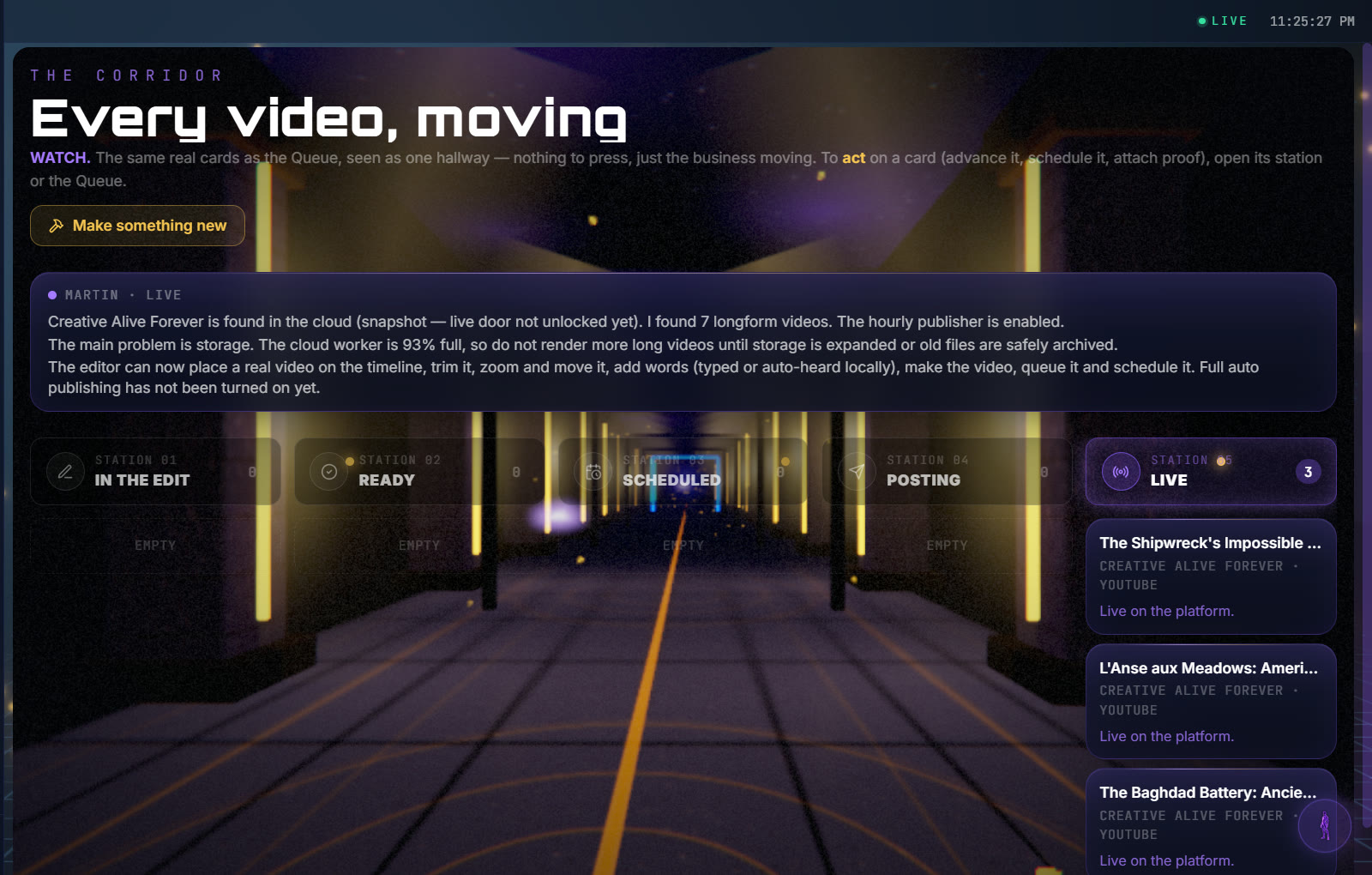
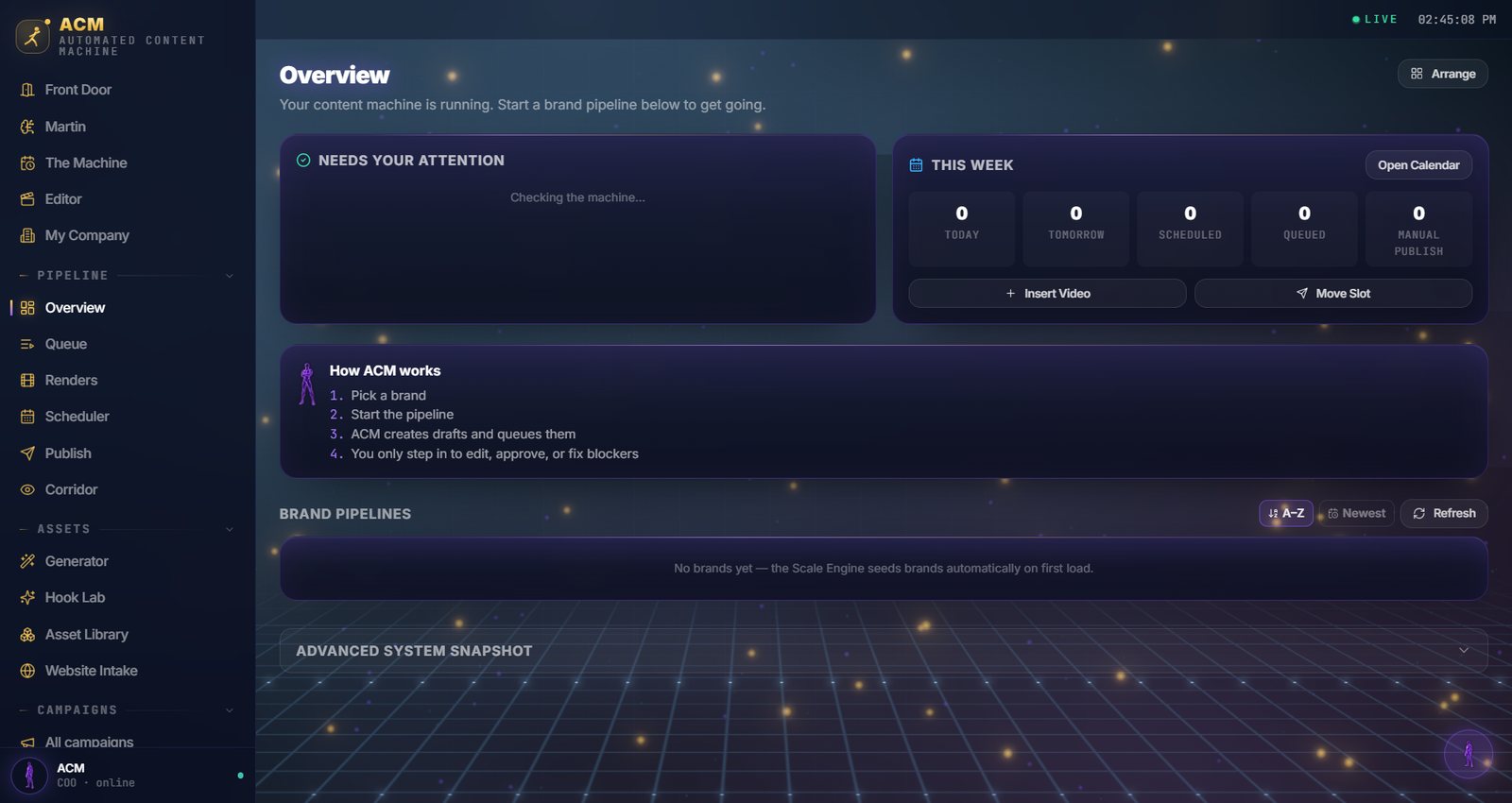
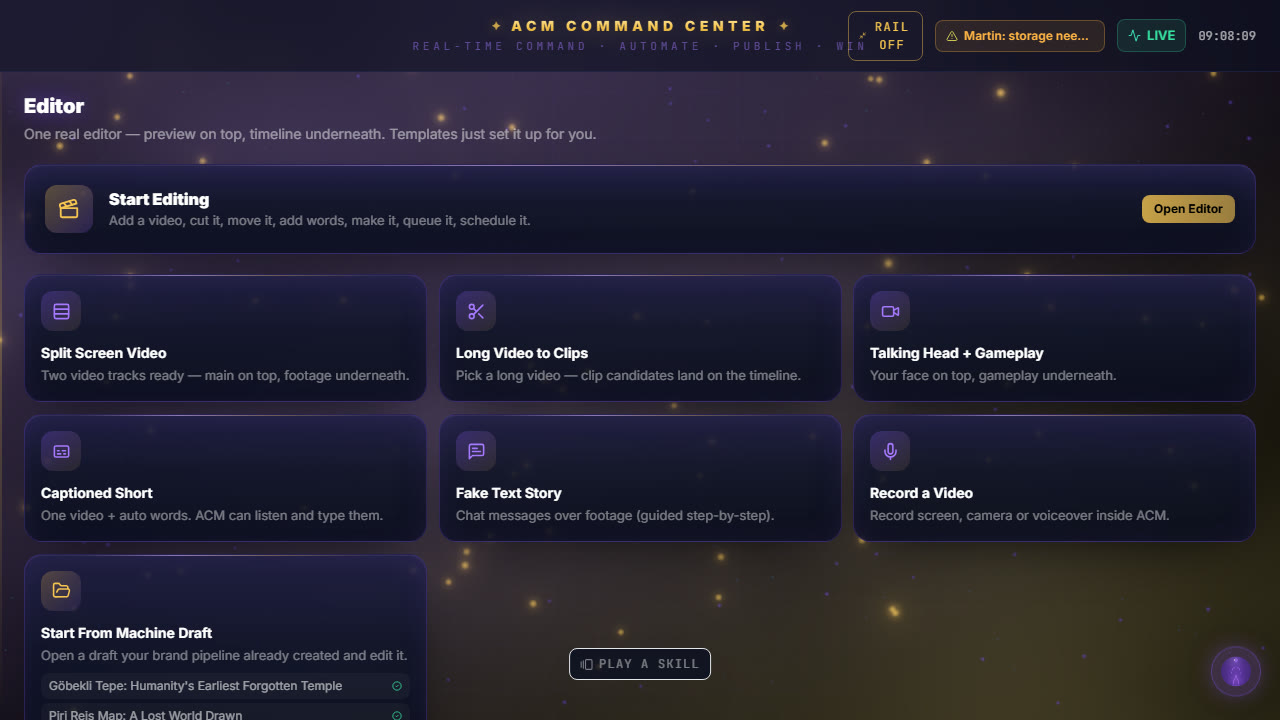
Inside ACM
Numbers on screen come from ACM's own records, and an empty screen says it is empty. The Overview tab shows exactly that: a fresh ACM, before any brand is added.
Free voices run on your computer, and music is sorted by mood so you can hear a track before you use it. Your own fonts drop into the library, where you can see every face.

Meet Martin
Martin is the face of ACM's assistant. Ask him what is happening and he answers from what ACM has saved: your brands, queue, renders and posts. The decisions stay yours.
Martin: Ask me what is in the queue, what has rendered and which keys are still empty.
Plans
Every plan runs the whole loop: write, make, post, learn. You bring your own AI key, so you only pay for what you use.
Free forever
£0no card needed
For creators
£—per month
Draft: the price and the number of channels are not set.
Go ProFor businesses
Talk to us
Extra skills made by other people, free. A separate download, clearly labelled, and only where the author allows it to be shared.
Questions
A Windows PC. ACM makes the videos on your computer, so a faster computer makes them faster.
Your footage and channel keys stay on your computer. To write and plan, ACM Online receives your video's words, your view counts and your AI key with each request.
YouTube at launch, connected with your own Google keys and a step-by-step guide. Instagram and Facebook follow once Meta approves ACM and its first real post there works.
Yes. ACM runs on your computer, so it posts on schedule while your computer is awake.
ACM still opens, and every video you made is still yours. It stops writing, planning and learning until you come back.
You pay the AI provider directly for what you use, at their price. No markup from us. Set a spending limit with your AI provider so the bill never surprises you.
Automated Content Machine
Free forever for one channel. Download it, answer five questions, press go.